
SSL/TLS certificates
Your servers present a certificate at the start of every connection, and the access keys of a server farm name one of its certificates. MANAGER makes one for every new farm, and can get a trusted one from Let's Encrypt and renew it by itself.

Where to find them
Open Server Farms and then the farm: its SSL / TLS Certificates lists them, and a flag marks the one the farm's keys carry. The list's title opens the full list, which adds each certificate's Mode and Priority.
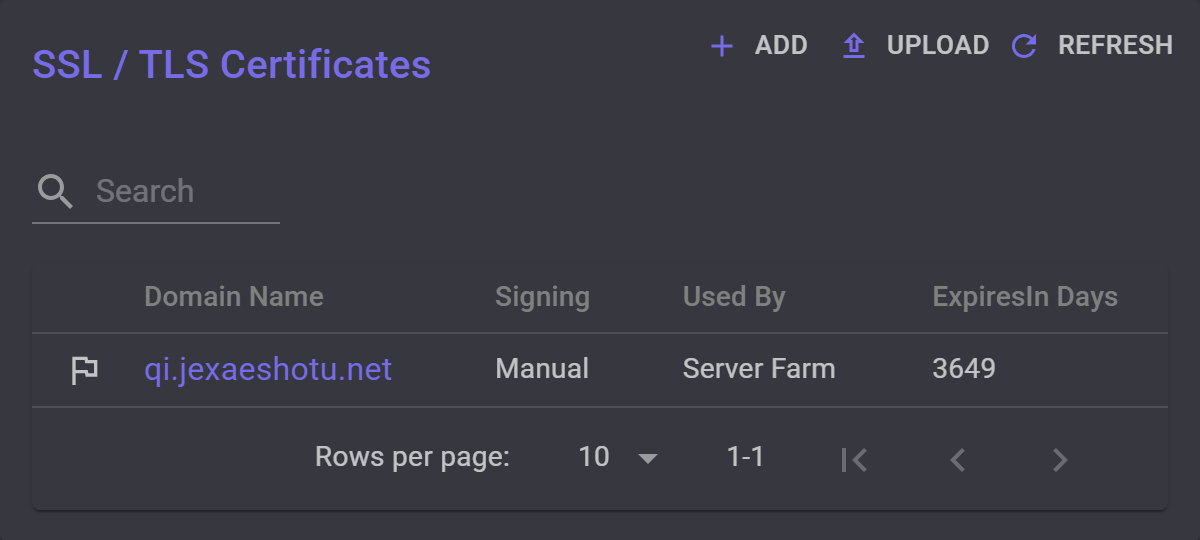
Every new farm gets one: a self-signed certificate with a made-up name, which its keys carry until you choose another.
A server's own page has the same list, with only the certificates that server uses alone.
A certificate's settings
Select a certificate's domain to open it.
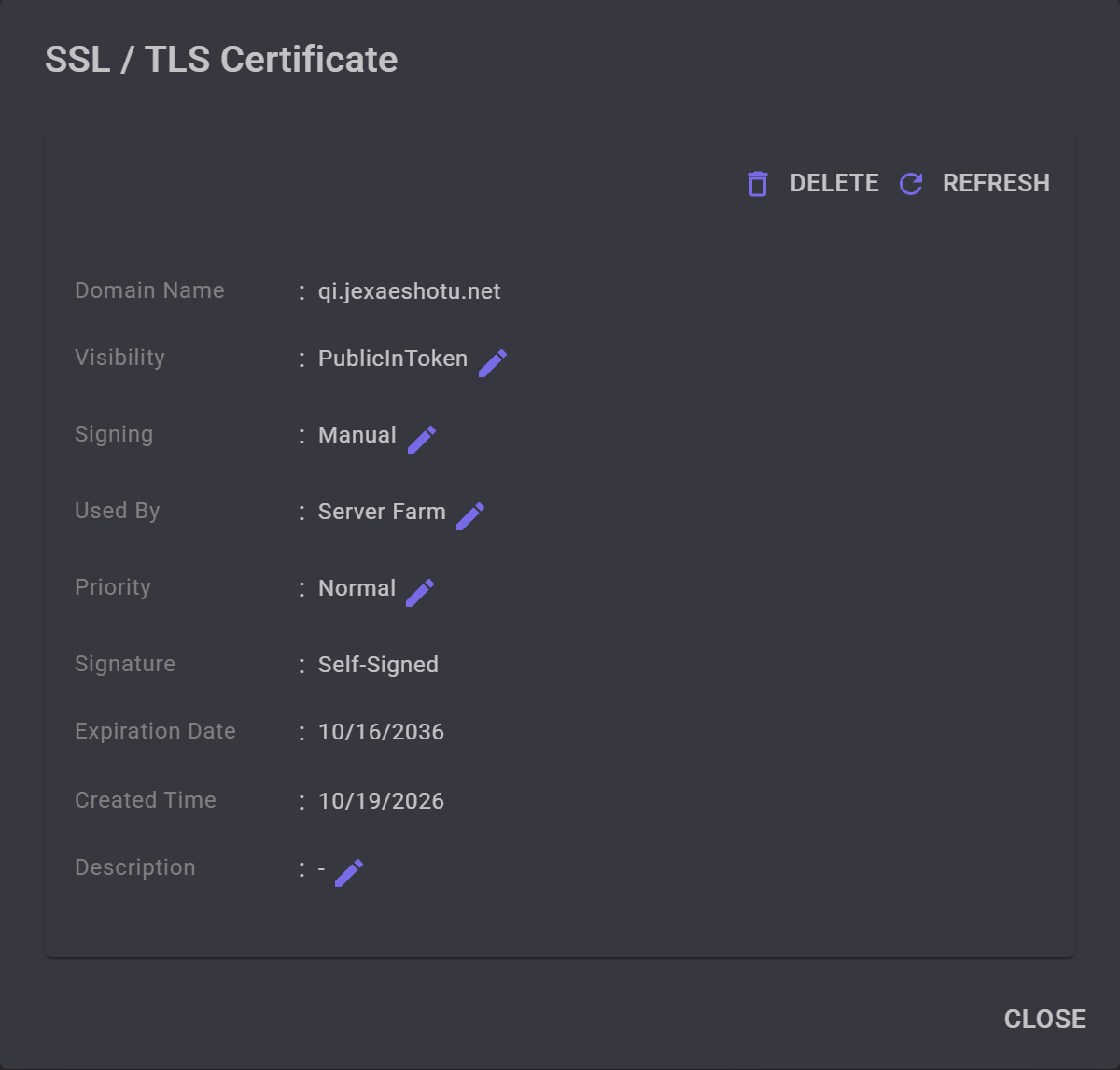
- Visibility decides who gets the certificate's domain. PublicInToken puts it in every key of the farm; only one certificate can have it, and giving it to another makes this one Public. A Public certificate that one server uses alone, if it is CA Signed, reaches apps only when MANAGER sends them to that server. A Private one never does. Whatever you choose, servers present the certificate to apps that ask for its domain.
- Signing decides how it gets signed. Manual leaves it as it is. AutoSign has Let's Encrypt sign it and MANAGER renew it, as below. DomainOnly is for a domain whose certificate lives elsewhere: MANAGER never puts it on servers, and keys cannot carry it.
- Used By is Server Farm, for every server of the farm, or one of its servers. Keep the certificate in the keys on Server Farm, so every server can present it to the apps that hold them.
- Priority, Normal, Low or Lowest, orders the domains of Public certificates when MANAGER gives apps several. It does not change which certificate a server presents.
- Signature reads CA Signed when a certificate authority signed it, and Self-Signed otherwise. Apps check a CA Signed certificate the way a browser does, by its authority and its name, so their keys keep working when it is renewed. A Self-Signed one they accept only by the fingerprint in their key.
- Description is a note for you. MANAGER does not use it.
Add a certificate
Under SSL / TLS Certificates, select Add, enter a Domain Name and select Create. MANAGER creates a self-signed certificate for the domain, Public and Manual, and opens it. The other fields only fill in the certificate's details.
Added from a server's own page, the certificate is used by that server alone.
To have a certificate authority sign it, set Signing to AutoSign. Use a domain name and a trusted certificate walks through that, and through putting the domain in the keys.
AutoSign
With AutoSign, MANAGER asks Let's Encrypt to sign a certificate for the domain. Let's Encrypt checks the domain over plain HTTP on TCP port 80, so the domain must point at one of the farm's servers, with that port open. MANAGER checks the same way first. Meanwhile, Signing shows Validating....
About 30 days before the certificate expires, MANAGER renews it. Let's Encrypt's certificates last 90 days.
If a check fails, Signing shows why, in red. MANAGER tries again about once a day, and after six failures in a row it sets Signing back to Manual. To try again at once, choose Manual and then AutoSign.
Upload a certificate
Upload takes a certificate you got elsewhere: a PFX file with its private key, which must be exportable, and its Certificate Password. Choose its Visibility as you upload it; it starts at Private. Signature reads CA Signed if MANAGER can verify who signed it.
An uploaded certificate is used by the whole farm, even when you upload it from a server's page. To give it to one server, change its Used By afterwards.
The certificate in the keys
The farm's keys carry the domain of its PublicInToken certificate, and its fingerprint. If it is CA Signed, apps look the domain up and accept any certificate an authority signed for it. If it is Self-Signed, they accept only that certificate, and they need a server's address to reach it: MANAGER then requires one of the farm's servers to have a PublicInToken address.
Giving PublicInToken to another certificate leaves the old one on the servers as Public, so older keys keep connecting. Apps get the new key when they connect, as Push token to clients is on by default, but only while one of the farm's servers has a PublicInToken address.
Adding or uploading a certificate for a domain the farm already has replaces the old one, which is deleted. The new one keeps the old one's Visibility if that was higher, so a renewal stays in the keys. Older keys keep working if the new certificate is CA Signed. If it is self-signed, give your users new keys.
Delete a certificate
Select Delete in its dialog. MANAGER does not let you delete the certificate in the keys, or the farm's last certificate used by the whole farm: give PublicInToken to another certificate, or add one, first.


