
Split tunneling
Split DNS
DNS lookups reveal every site you visit. Split DNS decides whether they follow your split rules like any other traffic, or always stay inside the VPN.
Available on Android, iOS, Windows and Linux
Get VpnHood! CONNECT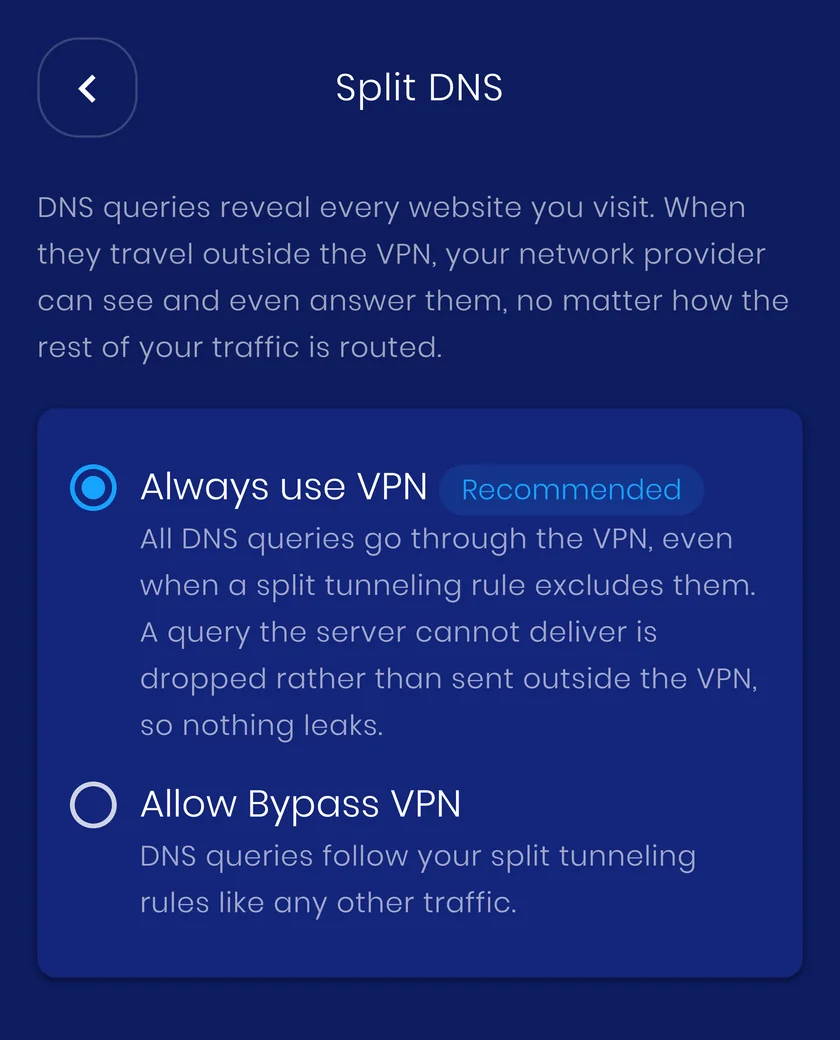
Two modes
Always use VPN
Every DNS query goes through the VPN, even when a split rule would have sent it out. A query the server cannot deliver is dropped rather than leaked. This is the recommended setting, and the one to keep unless something specific needs the other.
Allow Bypass VPN
DNS follows your split rules like any other traffic, so an excluded country, domain or address resolves outside the tunnel. Useful when a local resolver has to answer, for example a company DNS server that only knows internal names.
How it works
VpnHood! recognises DNS by its ports: 53 for plain lookups and 853 for encrypted DNS over TLS, on both TCP and UDP. In Always use VPN mode those packets are forced back into the tunnel even after a split rule excluded them. DNS over HTTPS is indistinguishable from ordinary web traffic on port 443, so no setting can catch it.
When to use it
Leave it on Always use VPN. Switch to Allow Bypass VPN only when a resolver on your own network has to answer, and expect that network to see those lookups.
What it costs you
It reaches the splits VpnHood! filters itself, by country, domain and IP address. An app you exclude from the VPN never enters the tunnel at all, so the operating system sends its lookups out with the rest of its traffic, whatever this setting says.


