
Feature
Private DNS and Adapter DNS
Android encrypts DNS lookups with Private DNS, and VpnHood! treats that as part of the tunnel: it leaves your chosen provider in charge, shows what the system is doing, and carries the encrypted queries through without dropping them. On every platform you can also choose the DNS servers the tunnel itself uses.
Available on Private DNS on Android 9 and later, since it uses an Android system setting. Adapter DNS on every platform.
Get VpnHood! CONNECT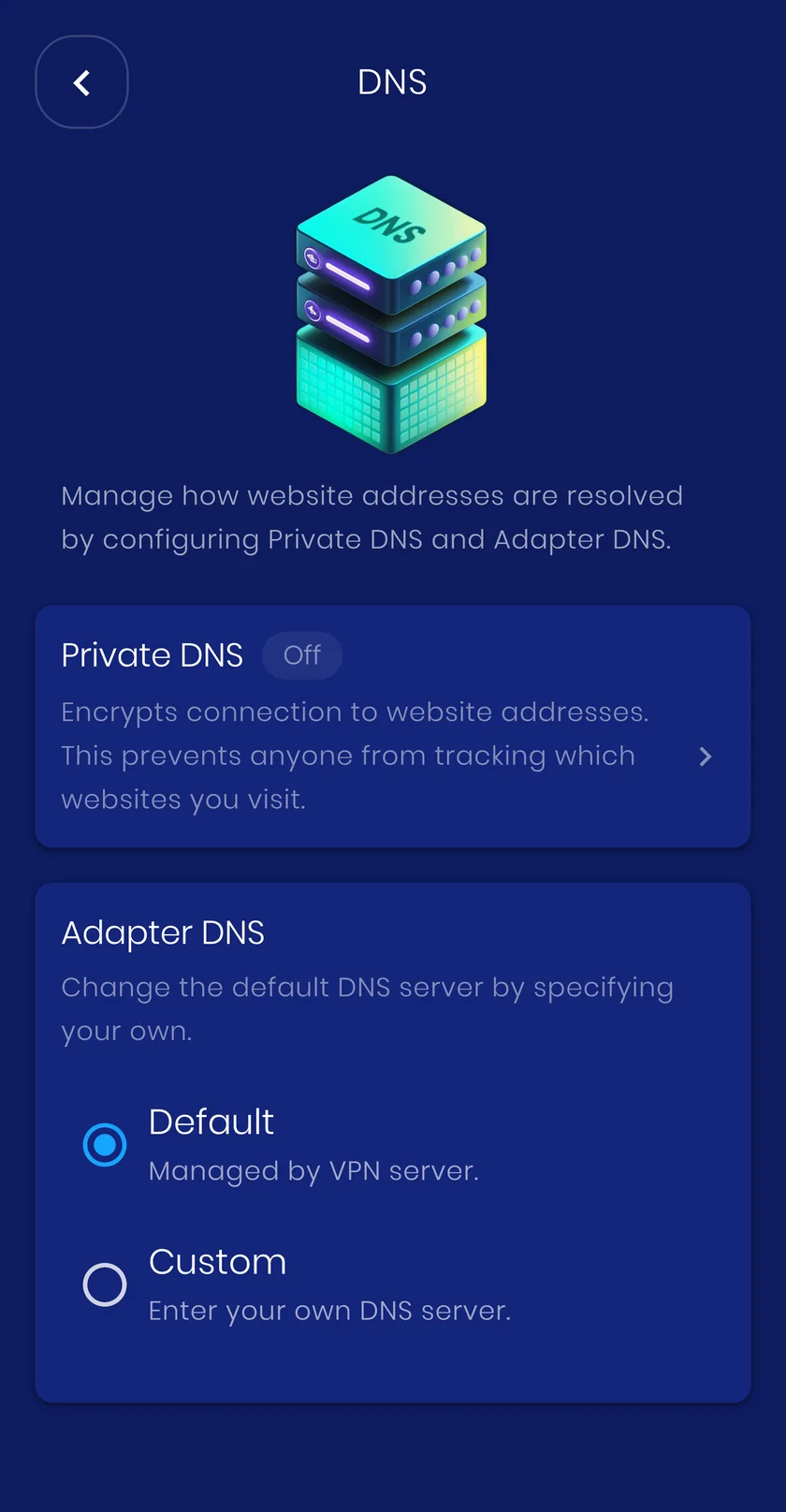
Why it matters
Every site you open starts with a DNS lookup. Where that lookup goes, and who can read it, decides how private your browsing really is. VpnHood! treats DNS as part of the tunnel, not an afterthought.
-
Your provider stays in charge
Pick a provider in Android settings and it wins, even over the app's own DNS setting: the system resolves through your hostname over TLS and VpnHood! steps aside. The app shows that this is what is happening rather than letting you wonder which resolver is in use.
-
Encrypted lookups are never dropped
Encrypted DNS travels on its own port, which a tunnel can easily block or mishandle. VpnHood! recognises it on both TCP and UDP and always lets it through, even while other UDP traffic is being dropped, so lookups keep working instead of failing quietly.
-
Private from the network and the server
Encrypted DNS stays encrypted from your device to the resolver you chose. Your network sees nothing, and the VpnHood! server carries only an encrypted connection to your provider, never the names you look up.
-
Status at a glance
The DNS screen shows whether Private DNS is off, automatic or set to a provider, names that provider, and walks you to the Android setting in a few taps when you want to change it.
-
Adapter DNS on every platform
Prefer a resolver other than the server's default? Enter your own DNS servers and the tunnel uses them on every platform, unless the server you connect to enforces its own.
-
DNS stays inside the tunnel
With Split DNS set to always use the VPN, a lookup that a country, domain or IP rule would have sent around the tunnel is kept inside it, and dropped rather than leaked when the server cannot answer it. An app you exclude from the VPN is outside the tunnel altogether, so its lookups leave with the rest of its traffic.
How it works
Before your device can reach a site it asks a DNS server for the address. Plain DNS travels unencrypted on port 53; Private DNS wraps the same question in TLS on port 853. VpnHood! treats both as DNS: they are never dropped, they can be forced to stay in the tunnel, and encrypted queries pass through to your chosen resolver unchanged.
When to turn it on
Keep Android Private DNS on with a provider you trust. Reach for Adapter DNS when you want a specific resolver, for example one with family filters or one inside your own network.
What it costs you
Nothing you will feel day to day. Encrypted DNS adds a few milliseconds to the first lookup of a name, and answers are cached after that.


